|
 |
|
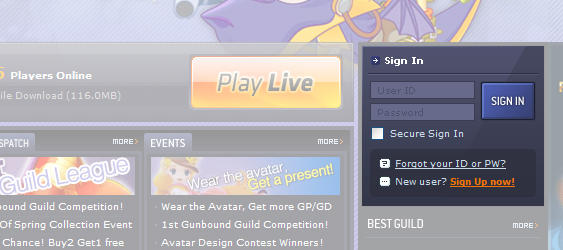
- Click on the “sign in” and enter your login information.If you do not have a Gunbound account, please click “sign in”to register. |
 |
 |
|
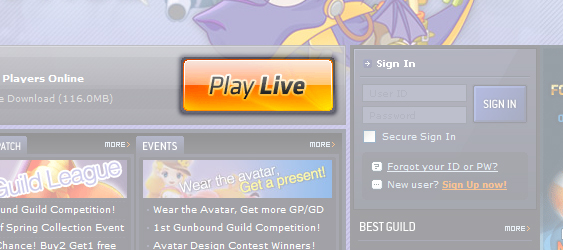
- Click on the “Play Live” button link located at center of the Gunbound main webpage to initiate the game download and installation, or to start the game. |
 |
 |
|
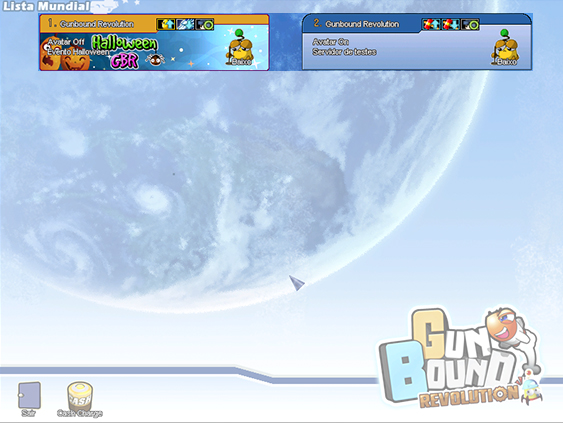
- Click on the appropriate “Zone” to select a server. Each server has its own level requirements for entry. “Open Zone” does not have any prerequisite for entry. On this server, a user can participate in a game session with any user of any level and from any guild. |
 |
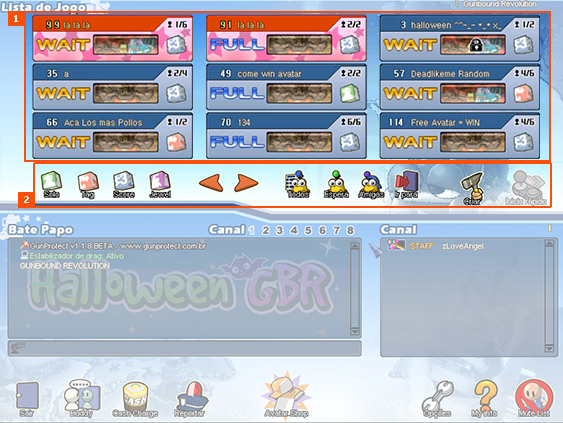 |
| User may enter the game room by clicking on the room icon. However entry is prohibited when game is already in session or if password is required to enter. |
| User can create a game room and set up filters for desired criteria for entry. |
 |
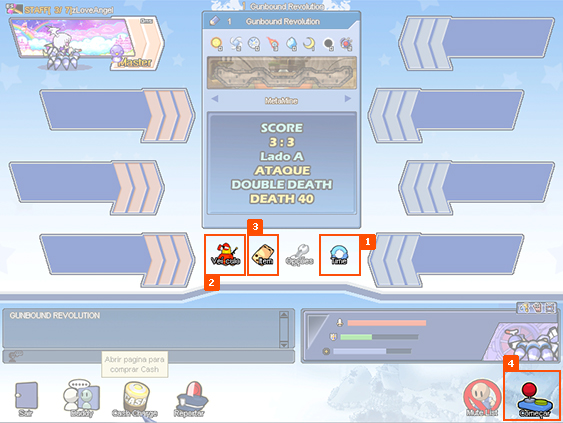 |
| User can select either Red or Blue team by clicking on the “Change team” button. |
| User can select different “Mobile” by clicking on the “Mobile” button. |
| User can select power-up items to use during the game by clicking “Item” tab and clicking on the desired items” |
| Game when everyone readies by clicking the “ready” button and the game host clicks on “Start” button. |
Copyright © 2020 BattleBound.
Powered by imds. Todos los Derechos Reservados.